Why Is Your Team Entering the Same Data Twice? The Benefits of Business Software Integration
Imagine receiving a customer enquiry through your website. Your sales team records it in a spreadsheet, the accounts team enters the same information into billing software, and another employee updates the customer details in a separate system.
The same information is being entered repeatedly, increasing the possibility of errors and wasting valuable working time.
This problem often occurs when businesses use multiple software applications that operate independently. Each application may perform its job well, but the lack of communication between them creates unnecessary work.
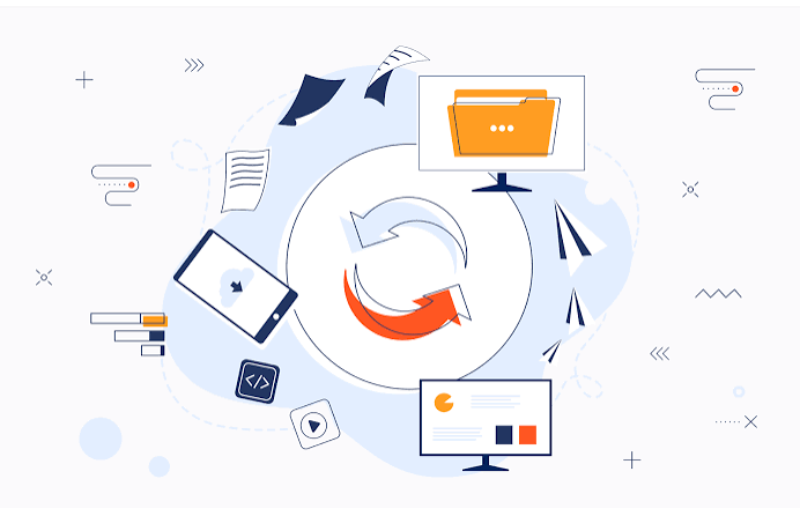
Business software integration helps solve this problem by allowing different applications to exchange information and work together.
For growing businesses, connecting existing systems can improve daily operations without requiring every department to change the software it already uses.
What Is Business Software Integration?
Business software integration is the process of connecting two or more applications so that they can share information and coordinate activities.
For example, a business might connect:
Its website enquiry form with its sales management system.
Billing software with its accounting application.
An e-commerce platform with order management software.
Customer support software with its customer database.
An internal application with reporting tools.
Instead of manually transferring information between systems, integration allows data to move between connected applications according to defined rules.
5 Signs Your Business Needs Software Integration
1. Employees Enter the Same Information Multiple Times
If employees regularly copy customer details, order numbers or payment information between applications, your systems may not be properly connected.
Repeated data entry increases administrative work and can introduce spelling mistakes, incorrect figures and outdated records.
2. Different Departments Have Different Information
Imagine your sales department has updated a customer’s contact details, but the accounts department still has the old information.
When applications do not share updates, employees may work with different versions of the same record.
Integration helps departments access consistent information from connected systems.
3. Reports Take Too Long to Prepare
If your manager must collect information from several spreadsheets and applications before preparing a business report, reporting may be unnecessarily complicated.
Integrated systems can bring relevant information together, making reporting more organised.
4. Orders and Enquiries Require Manual Follow-Ups
A new order may need to be entered into inventory, billing and delivery systems separately.
Without integration, employees must remember every step. This can slow down order processing.
5. Your Business Is Adding More Software
As businesses expand, they often introduce new applications for accounting, communication, sales and operations.
If these systems are added without an integration plan, the overall workflow can become more complicated.
How Does Business Software Integration Work?
The integration method depends on the applications, available features and business requirements.
API Integration
An Application Programming Interface (API) allows compatible applications to exchange information through defined requests and responses.
For example, a website can send a new enquiry to a connected business application through an API.
Webhooks
Webhooks allow one application to notify another when a particular event happens.
For example, an online payment system may send a notification to another application when a payment is successfully completed.
Database Integration
Some systems can share information through controlled database connections or scheduled data transfers.
This method requires careful planning to protect data consistency and security.
Middleware Integration
Middleware acts as a communication layer between different applications.
It can help manage data formats, workflows and connections when multiple systems need to communicate.
How to Plan a Successful Integration Project
Connecting software without understanding business requirements can create new problems. Follow these steps before starting.
Step 1: Identify Repeated Tasks
List the activities where employees transfer information between applications.
Identify which tasks take the most time and where errors occur.
Step 2: Map Your Existing Software
Prepare a list of applications used by each department.
Record what information each application stores and which systems need access to it.
Step 3: Define the Information Flow
Decide which application should be the primary source for each type of information.
For example, customer contact information may be maintained in one central system, while payment records remain in accounting software.
Step 4: Choose the Right Integration Method
Evaluate whether APIs, webhooks, middleware or scheduled data transfers are suitable.
Consider application compatibility, security, development requirements and future maintenance.
Step 5: Test Before Full Implementation
Begin with a small integration project.
Check whether information transfers correctly, errors are handled properly and existing workflows continue to operate.
Step 6: Monitor and Maintain Connections
Applications can change after software updates. Regular monitoring helps identify broken connections, failed data transfers and unexpected behaviour.
How Five Seven IT Solutions Can Help
Every business uses technology differently. A solution that works for one organisation may not be appropriate for another.
Five Seven IT Solutions provides software development, website development, ERP development and business automation services to help businesses organise their technology systems.
Our team can help businesses understand their existing workflows, identify integration opportunities and develop software connections according to their operational requirements.
Whether you need to connect a website with an internal application or improve communication between business systems, a planned integration approach can make daily operations more organised.
Frequently Asked Questions
1. What is business software integration?
Business software integration connects different applications so they can exchange information and coordinate business activities.
2. Can two different software applications communicate with each other?
Yes. Depending on their technical capabilities, applications may communicate through APIs, webhooks, middleware or other supported integration methods.
3. Does software integration reduce manual data entry?
It can reduce repeated data entry by automatically transferring information between connected systems.
4. Is custom development necessary for software integration?
Not always. Some applications already provide built-in integrations. Custom development may be required when existing options do not meet specific business requirements.
5. Is business software integration secure?
It can be implemented securely using suitable authentication, access permissions, encryption and monitoring. Security requirements should be considered during the planning stage.
6. Can Five Seven IT Solutions help integrate business applications?
Five Seven IT Solutions can help assess business requirements and develop suitable software, ERP and automation solutions.
Want your business applications to work together more efficiently? Contact Five Seven IT Solutions to discuss a software integration approach that suits your business.