
Losing Track of Business Finances? How ERP Financial Management Brings Records Together
A business can have regular sales and still struggle to understand its financial position.
Invoices may be stored in one application, expenses in spreadsheets, customer payments in another system, and financial reports prepared separately at the end of the month.
As the business grows, managing these records independently can become difficult.
Employees may spend time reconciling information, locating missing entries, and checking whether customer payments have been received.
This is where ERP financial management becomes useful.
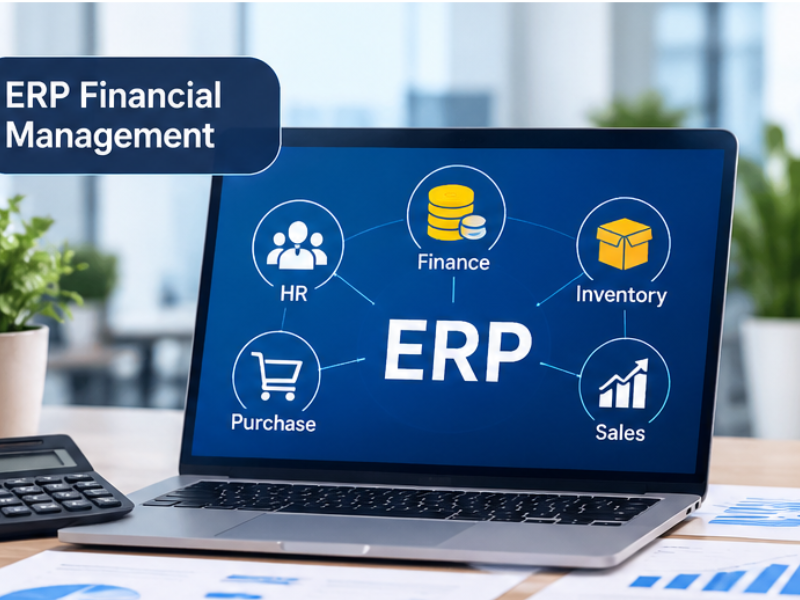
An ERP system can bring important financial processes into a connected environment, helping businesses organize transactions and access relevant financial information more efficiently.
What Is ERP Financial Management?
ERP financial management refers to the use of Enterprise Resource Planning software to manage and organize business financial activities.
Depending on the system’s modules and configuration, it may support:
Sales invoicing.
Purchase invoices.
Accounts receivable.
Accounts payable.
Expense recording.
General ledger management.
Tax-related records.
Financial reporting.
Budget monitoring.
The purpose is to establish a more structured way of recording and reviewing financial transactions.
Instead of maintaining disconnected records across several tools, businesses can use an integrated system that connects relevant financial workflows.
6 Financial Management Challenges an ERP System Can Help Address
1. Difficulty Tracking Customer Payments
A business may issue several invoices but struggle to identify which customers have paid, which payments are pending, and which invoices are overdue.
An ERP system with accounts receivable functionality can help organize:
Customer invoices.
Payment entries.
Outstanding balances.
Due dates.
Receivable reports.
This gives authorized employees a clearer view of customer payment records.
2. Delays in Processing Supplier Payments
Businesses often purchase materials, services, or equipment from multiple suppliers.
If purchase invoices and payment records are managed separately, employees may need to spend additional time checking documents.
An ERP financial module can help organize supplier invoices, payment schedules, and outstanding balances.
Approval workflows can also be configured where the business requires additional checks before payments are processed.
3. Difficulty Monitoring Expenses
Business expenses may include rent, salaries, software subscriptions, travel, utilities, and operational purchases.
When expenses are recorded inconsistently, management may struggle to understand where money is being spent.
ERP expense tracking can help categorize financial entries and prepare reports for review.
4. Repeated Financial Data Entry
When sales, purchasing, and accounting systems are disconnected, employees may need to enter the same transaction details more than once.
An integrated ERP system can reduce repeated entry by connecting supported business workflows.
For example, an approved sales transaction may generate relevant financial records according to the system’s configuration.
5. Delayed Financial Reporting
Management often needs financial information to evaluate business performance.
However, preparing reports manually from different records can take time.
ERP reporting capabilities can help organize information such as:
Revenue records.
Operating expenses.
Outstanding payments.
Supplier liabilities.
Cash and bank transactions.
Profit and loss information.
The usefulness of these reports depends on accurate transaction recording and proper accounting configuration.
6. Limited Financial Visibility Across Departments
Financial activities are connected to several business functions.
Sales affects revenue records. Purchasing affects supplier liabilities. Inventory transactions may affect stock valuation.
An ERP system can connect these processes where appropriate, helping authorized teams access consistent information.
Important ERP Financial Management Features
Before choosing an ERP solution, businesses should understand which financial functions they actually require.
1. General Ledger
The general ledger records financial transactions under appropriate accounts.
It forms an important part of financial reporting and helps organize entries into the business’s accounting structure.
2. Accounts Receivable
Accounts receivable helps businesses manage money owed by customers.
Useful functions may include invoice records, payment tracking, customer balances, and ageing reports.
3. Accounts Payable
Accounts payable supports the management of amounts owed to suppliers and service providers.
It can help businesses review purchase invoices, payment due dates, and outstanding liabilities.
4. Expense Management
An expense management module can help organize business expenses by category, department, project, or other relevant classification.
Businesses can use approval rules to review selected expense claims before recording or reimbursing them.
5. Financial Reporting
Financial reports help management review business activity.
Depending on the configuration, an ERP system may support:
Profit and loss reports.
Balance sheet reports.
Cash flow reports.
Receivables ageing.
Payable ageing.
Expense summaries.
Budget comparisons.
Reports should be configured with input from qualified accounting professionals to ensure they meet the business’s reporting and compliance requirements.
How ERP Financial Management Supports Better Business Decisions
Financial information becomes more useful when it is organised and available at the right time.
For example, a business owner reviewing outstanding receivables may identify customers whose payments need follow-up.
A purchasing manager may review supplier liabilities before scheduling new purchases.
Management may also compare expenses across different periods to understand changes in operating costs.
These insights do not automatically make decisions for the business. However, they can provide a clearer information base for planning.
6 Steps to Implement ERP Financial Management
Step 1: Review Your Current Accounting Process
Document how your business currently handles invoices, receipts, expenses, payments, and financial reports.
Identify duplicate work, delayed updates, and records that are difficult to locate.
Step 2: Define Your Financial Requirements
Decide which functions are necessary.
For example, a service company may prioritise invoicing and receivables, while a distributor may also need purchasing, inventory valuation, and supplier payment management.
Do not select modules simply because they are available. Choose based on actual operational requirements.
Step 3: Organise Existing Financial Records
Before implementing a new system, review:
Customer records.
Supplier details.
Chart of accounts.
Opening balances.
Outstanding invoices.
Pending payments.
Tax-related information.
Work with the accounting team to verify important opening information.
Step 4: Configure Roles and Approvals
Define who can create, review, approve, and modify financial records.
For example, an employee may be allowed to create a purchase invoice while only an authorized manager can approve the payment.
Appropriate permissions help improve accountability.
Step 5: Test Financial Workflows
Test important scenarios before using the system for regular operations.
Examples include:
Creating a customer invoice.
Recording a customer payment.
Entering a supplier invoice.
Recording a business expense.
Generating an outstanding payment report.
Reviewing financial statements.
Verify that the expected accounting entries and reports are produced correctly.
Step 6: Train Employees and Review Reports
Employees should understand how to record transactions correctly.
After implementation, review the reports regularly and investigate inconsistencies.
An ERP system supports financial management, but it does not replace proper accounting review or professional financial advice.
Ready-Made ERP or Custom ERP Financial Management?
A standard ERP system may be appropriate for businesses with common financial workflows.
However, some organisations require specialised approval processes, departmental reporting, or integration with existing business applications.
Custom ERP development may be worth considering when standard software does not support these requirements effectively.
Evaluate the following before choosing:
Factor | What to consider |
|---|---|
Business size | Number of users and transactions |
Financial workflows | Complexity of accounting processes |
Integration | Existing banking, sales, or business systems |
Reporting | Management and compliance requirements |
Scalability | Expected future business needs |
Maintenance | Support, updates, and ongoing costs |
The best solution is one that fits the business’s actual requirements and can be maintained reliably.
How Five Seven IT Solutions Can Help
Five Seven IT Solutions provides ERP and software development services for businesses looking to organize their operations through technology.
ERP development should begin with an understanding of the company’s financial workflows, approval requirements, reporting needs, and existing applications.
Five Seven IT Solutions can help businesses explore ERP solutions that connect relevant operational and financial processes.
For accounting policies, statutory reporting, and tax compliance, businesses should also work with appropriately qualified finance professionals.
Looking to organize your business financial workflows? Connect with Five Seven IT Solutions to discuss your ERP development requirements.
Frequently Asked Questions
1. What does ERP financial management do?
Lorem ipsum dolor sit amet, consectetur adipiscing elit. Ut elit tellus, luctus nec ullamcorper mattis, pulvinar dapibus leo.
Can ERP software manage accounts payable and receivable?
Yes. Many ERP systems include modules for managing supplier liabilities and customer outstanding payments.
3. Does ERP software replace accounting professionals?
No. ERP software helps organise financial information, but professional accounting oversight remains important.