
Document Management Software for Businesses: Organize Files Efficiently
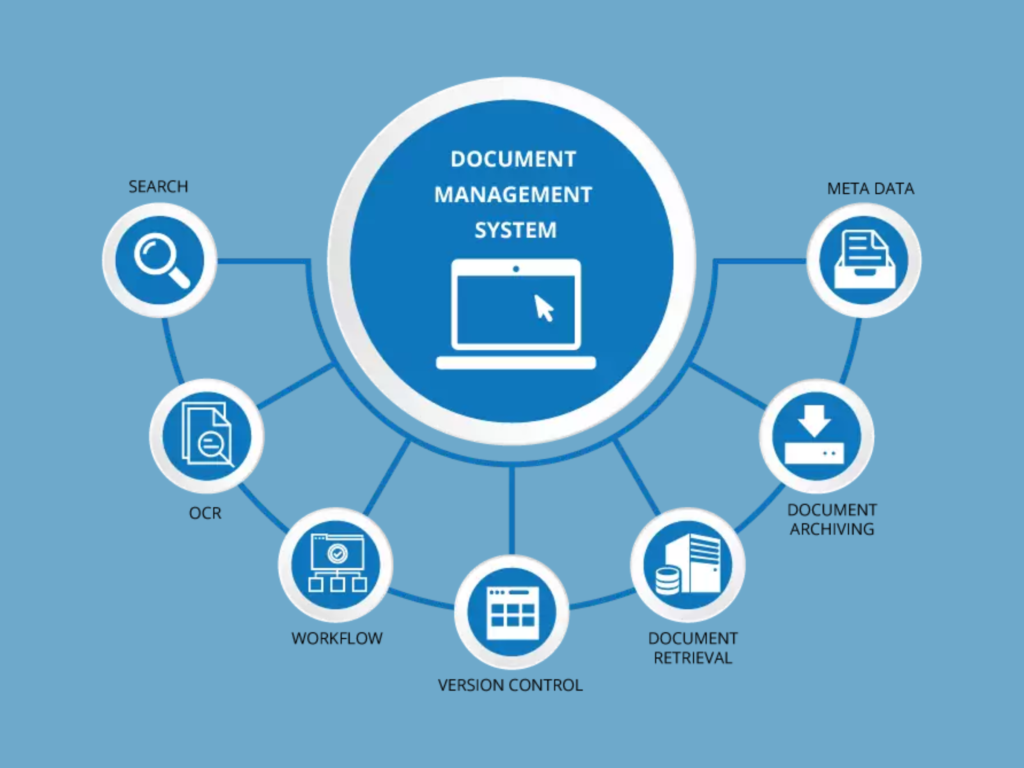
Document management software helps businesses securely store, organize, and manage digital files in one place. Handling documents manually can often result in lost files, delayed processes, and increased security risks.
With document management software, businesses can improve file accessibility, enhance team collaboration, and streamline daily operations for better efficiency and productivity.
What is Document Management Software?
Document management software is a digital solution that helps businesses create, organize, store, and manage documents electronically. By centralizing files in one secure location, it makes accessing, sharing, and managing documents faster and more efficient across teams.
Why Document Management Software for Businesses is Important
Document management software helps businesses streamline the way they handle files and information by making document storage and access more efficient.
It helps organizations:
Reduce Paperwork – Minimize manual processes and move toward a more organized digital workflow.
Improve File Organization – Keep documents structured and easy to find when needed.
Increase Document Security – Protect sensitive information with secure access and storage.
Simplify Collaboration – Enable teams to share, access, and work on documents more efficiently.
With better document management processes, businesses can improve productivity, save time, and enhance overall workflow efficiency.
Key Features of Document Management Software
1. Centralized File Storage
Store all business documents in one secure location for easy access and better organization.
2. Quick Search and Retrieval
Find files faster using keywords, tags, or search filters, reducing time spent looking for documents.
3. Access Controls and Permissions
Control who can view, edit, or share documents by assigning role-based access permissions.
4. Version Control
Track document changes automatically and maintain updated versions without losing previous records.
5. Cloud Accessibility
Access documents securely from anywhere, making remote work and collaboration more convenient.
Benefits of Document Management Software for Businesses
1. Better Organization
Keep files well-structured, organized, and easy to search whenever information is needed.
2. Improved Security
Protect sensitive business data with secure storage, access controls, and permission-based sharing.
3. Faster Collaboration
Enable teams to access, share, and edit documents easily, improving communication and workflow efficiency.
4. Reduced Storage Costs
Lower expenses by minimizing the need for physical document storage and paper-based processes.
5. Higher Productivity
Save valuable time by reducing manual document handling and making file retrieval faster and easier.
Industries Using Document Management Software
Document management software is widely used across different industries to improve document handling, security, and workflow efficiency.
Healthcare – Manage patient records and sensitive documents securely.
Legal Firms – Organize contracts, case files, and legal documents efficiently.
Financial Services – Store and manage financial records while maintaining compliance and security.
Educational Institutions – Handle student records, administrative documents, and learning materials digitally.
Corporate Organizations – Streamline internal documentation and improve team collaboration.
Businesses across industries use document management software to simplify file management, improve accessibility, and increase productivity.
Signs Your Business Needs Document Management Software
Your business may benefit from document management software if managing files and documents is becoming time-consuming or inefficient.
Common signs include:
Files Are Difficult to Locate – Spending too much time searching for documents can slow down productivity.
Paperwork Is Increasing – Growing volumes of paperwork can make organization and storage more challenging.
Document Sharing Is Slow – Delays in accessing or sharing files can affect team collaboration and workflow.
Data Security Is a Concern – Sensitive information requires better protection and controlled access.
Implementing document management software can help streamline document handling, improve accessibility, and strengthen data security across your organization.
Common signs include:
Frequent Inventory Errors – Mistakes in stock records can lead to confusion and losses.
Manual Stock Tracking – Managing inventory manually takes time and increases the risk of errors.
Unexpected Stock Shortages – Running out of products can impact sales and customer satisfaction.
Slow Inventory Reporting – Creating reports manually can delay decision-making.
Implementing inventory tracking software helps streamline inventory management, improve accuracy, and increase overall operational efficiency.
How to Choose the Right Document Management Software
Selecting the right document management platform is important for improving productivity and streamlining document workflows. When comparing different solutions, consider the following factors:
Ease of Use – Choose a platform that is user-friendly and easy for your team to adopt.
Security Features – Ensure the software offers strong security measures to protect sensitive documents and data.
Storage Capacity – Select a solution that can handle your current and future document storage needs.
Integration Support – Look for software that integrates smoothly with your existing business tools and systems.
Scalability – Choose a platform that can grow with your business as document requirements increase.
The right document management software can improve organization, strengthen security, and create more efficient document workflows.
Future of Document Management Software
Document management technology continues to evolve, helping businesses work smarter and manage information more efficiently. Some key trends shaping the future include:
AI-Powered Document Search – Advanced search capabilities make it easier to find documents quickly using intelligent search tools.
Automated Workflows – Automation reduces manual tasks and speeds up document approvals, processing, and management.
Cloud-First Storage Systems – Cloud-based platforms provide greater flexibility, accessibility, and remote collaboration.
Enhanced Security Features – Stronger security measures help protect sensitive business information from unauthorized access and cyber threats.
As technology advances, these innovations will continue to make document management faster, smarter, and more secure.
Conclusion
Document management software helps businesses improve organization, strengthen collaboration, and enhance document security. By moving to digital document systems, organizations can streamline workflows, increase productivity, and reduce operational challenges, making document management more efficient and reliable.