
Overstocked Today, Out of Stock Tomorrow? How ERP Inventory Management Can Improve Stock Control
A business can have excellent products, reliable suppliers, and regular customers, yet still struggle with inventory management.
One product may remain unused in the warehouse for months, while another runs out just when customers need it. Employees may spend hours checking stock records, comparing spreadsheets, and confirming quantities with different departments.
These problems often occur when inventory information is scattered across separate systems or updated manually.
As businesses expand, managing stock through disconnected spreadsheets and basic records can become increasingly complicated.
ERP inventory management helps bring important inventory activities into a more organised system, allowing businesses to track stock movements, manage purchasing, and coordinate information across departments.
What Is ERP Inventory Management?
ERP stands for Enterprise Resource Planning.
An ERP system connects different business functions, such as inventory, purchasing, sales, finance, and operations, through an integrated software environment.
The inventory module helps businesses manage stock-related activities.
Depending on the system, it may support:
Stock quantity tracking
Product and item records
Purchase orders
Goods received records
Sales-related stock updates
Warehouse management
Stock transfers
Reorder alerts
Inventory reports
Supplier information
For example, when a business records a sales transaction, the ERP system may update the relevant stock quantity according to its configured workflow.
This helps different departments work with more consistent inventory information.
7 Inventory Problems an ERP System Can Help Address
1. Inaccurate Stock Records
When employees update stock information manually, differences can develop between actual inventory and recorded quantities.
These differences may result from missed entries, incorrect quantities, damaged goods, returns, or delayed updates.
An ERP system can help record stock movements through a consistent process.
However, businesses still need regular physical stock checks and proper transaction controls to maintain accuracy.
2. Unexpected Stock Shortages
Running out of important products can affect customer orders and daily operations.
An ERP inventory module can support minimum stock levels and reorder alerts.
For example, a business could configure a notification when the available quantity of a frequently sold item reaches a defined threshold.
The purchasing team can then review supplier availability and decide whether a new purchase order is required.
3. Excess Inventory
Keeping more stock than necessary can tie up business funds and increase storage requirements.
ERP reports can help managers review stock movement and identify products that remain unused or sell slowly.
This information can support better purchasing decisions.
Businesses should consider seasonal demand, supplier lead times, and future sales requirements before reducing inventory.
4. Difficulty Managing Multiple Warehouses
Businesses operating from multiple locations need to understand how much stock is available at each warehouse.
Without centralised records, employees may need to contact different locations to confirm availability.
An ERP system with multi-warehouse functionality can help track quantities by location and record transfers between warehouses.
This makes stock visibility easier to manage.
5. Poor Coordination Between Departments
Inventory is connected to several business activities.
Sales teams need to know product availability. Purchasing teams need to know what should be ordered. Finance teams may need information about stock values and purchasing transactions.
An integrated ERP system can connect these activities and reduce repeated data entry.
The exact benefits depend on how the system is configured and whether the required modules are properly integrated.
6. Limited Product Movement Visibility
Not all products move at the same speed.
Some items sell regularly, while others may remain in storage for long periods.
ERP reports can help businesses review:
Fast-moving products
Slow-moving products
Stock ageing
Stock adjustments
Purchase history
Warehouse quantities
These reports help managers identify patterns and review purchasing strategies.
7. Difficult Stock Audits
Finding differences between recorded and physical stock can be time-consuming.
A structured ERP inventory process can maintain transaction histories for goods received, sales, transfers, returns, and adjustments.
This helps employees investigate discrepancies and maintain more organised records.
Important ERP Inventory Features to Consider
Not every business needs an ERP system with every possible feature.
Choose functionality based on your industry, product types, warehouse operations, and transaction volume.
Centralised Inventory Dashboard
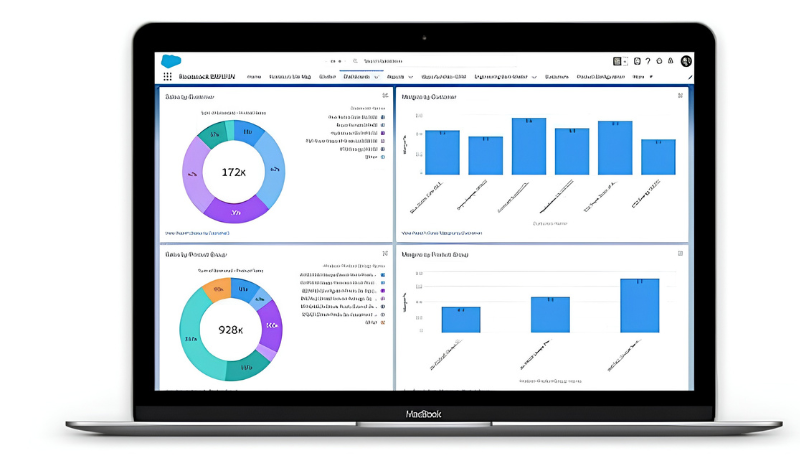
A dashboard should display useful information such as available stock, low-stock items, pending purchase orders, and stock movement.
Managers should be able to understand the inventory position without navigating through unnecessary screens.
Purchase Order Management
The system should help authorised employees create and track purchase orders.
It should also support the process of recording received quantities and identifying differences between ordered and delivered goods.
Barcode Integration
For businesses handling many products, barcode scanning can help identify items during receiving, picking, transfers, and stock checks.
The required hardware and software integration should be considered during implementation.
Batch and Expiry Tracking
Businesses dealing with food, pharmaceuticals, cosmetics, or other expiry-sensitive products may need batch-level inventory records.
This helps employees identify which stock needs attention and supports suitable stock rotation processes.
Inventory Reports
Useful reports may include stock valuation, product movement, warehouse quantities, reorder requirements, and stock adjustments.
Reports should be accurate, understandable, and available to the employees who need them.
How to Implement ERP Inventory Management Successfully
Step 1: Review Your Existing Inventory Process
Understand how your business currently records incoming stock, sales, returns, damaged goods, and transfers.
Identify where information is delayed or frequently incorrect.
Step 2: Organise Your Product Data
Before moving information into an ERP system, clean your existing records.
Review:
Product names
Item codes or SKUs
Units of measurement
Supplier details
Warehouse locations
Opening stock quantities
Batch information, if applicable
Duplicate and incomplete records should be corrected before migration.
Step 3: Define Stock Management Rules
Decide how your business will handle stock receipts, returns, adjustments, damaged products, and warehouse transfers.
Define who can approve important transactions.
A consistent process is essential for maintaining reliable inventory records.
Step 4: Configure Reorder Levels
Review sales patterns, supplier lead times, and storage requirements to establish suitable reorder points.
Do not use the same minimum stock quantity for every product.
A frequently sold item may need a different reorder policy from a product with unpredictable demand.
Step 5: Train Employees
Warehouse employees, purchasing teams, sales staff, and managers may use different parts of the ERP system.
Provide role-based training so employees understand how to record transactions correctly.
Step 6: Test Before Full Deployment
Test important workflows using realistic business scenarios.
For example, receive a purchase order, record a partial delivery, transfer products between warehouses, and process a sales transaction.
Check whether the resulting stock quantities and reports are correct.
Step 7: Monitor and Improve
After implementation, review inventory accuracy, stock shortages, excess inventory, and employee feedback.
Adjust workflows and system settings when the business requirements change.
Ready-Made ERP vs Custom ERP for Inventory Management
Ready-made ERP software may be appropriate for businesses with standard inventory requirements.
However, companies with specialised workflows may need custom functionality.
For example:
A manufacturing company may require raw material and finished goods tracking.
A distributor may need multi-warehouse stock transfers.
A retailer may require barcode-based sales and inventory updates.
A business dealing with expiry-sensitive goods may need batch and expiry tracking.
Custom ERP development can help align software with these requirements, but it should be planned carefully to avoid unnecessary complexity and maintenance costs.
How Five Seven IT Solutions Can Help
Five Seven IT Solutions provides ERP and software development services to help businesses organise their operations through suitable digital systems.
An ERP solution can be designed around business requirements, including inventory tracking, purchasing workflows, reporting, and integration with other operational modules.
The right approach begins with understanding the company’s current processes and identifying which inventory challenges need to be addressed.
Final Thoughts
Inventory management affects purchasing, sales, warehouse operations, and customer satisfaction.
An ERP system can help businesses maintain more organised stock records, improve visibility across locations, and make informed purchasing decisions.
Before investing in ERP inventory management, review your existing processes and identify the features that will genuinely improve your operations.
Looking to improve stock control across your business? Contact Five Seven IT Solutions to discuss ERP development and inventory management solutions suited to your requirements.