
ERP Performance Optimization: Improve Speed, Stability, and Business Efficiency
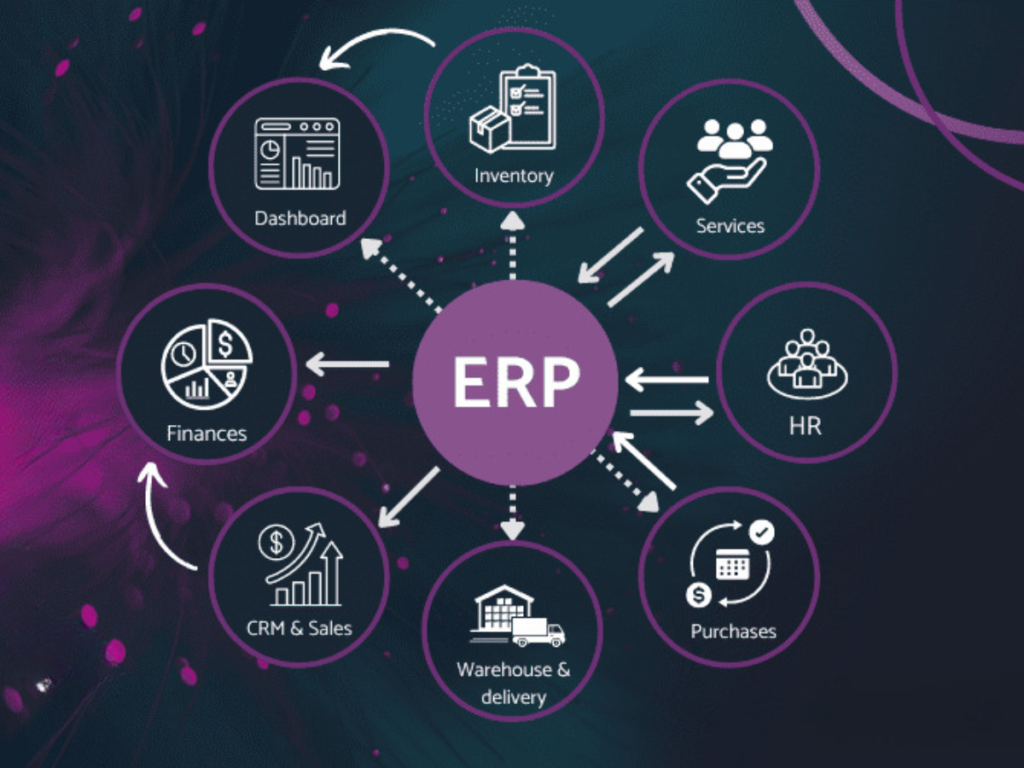
ERP performance optimization helps businesses keep their ERP systems running smoothly, quickly, and reliably as workloads grow. Since ERP systems handle many important day-to-day activities, slow screens, delayed reports, or unexpected downtime can make it harder for employees to get their work done.
Regularly checking system performance, database usage, integrations, and infrastructure can help businesses spot problems early. By addressing these bottlenecks, organizations can improve system performance and provide a smoother experience for everyone using the ERP.
What is ERP Performance Optimization?
ERP performance optimization is about making an ERP system work faster, more efficiently, and more reliably. It involves looking at different areas of the system, including application performance, database queries, server resources, network activity, integrations, and how users interact with the system.
The main goal is to reduce delays, improve response times, and keep the ERP running smoothly as the business grows and its requirements change.
Why ERP Performance Matters
A slow ERP system can create problems across different parts of a business. Regular performance optimization can help organizations:
Improve system response times
Reduce delays in day-to-day operations
Help employees work more efficiently
Generate reports faster
Minimize system downtime
Handle increasing workloads more effectively
Provide a better experience for users
When an ERP system runs smoothly, employees can complete their daily tasks without being slowed down by unnecessary technical issues.
Common Causes of Poor ERP Performance
Large Data Volumes
As a business grows, its ERP system can accumulate millions of records. If this data is not managed properly, everyday searches and reports may become slower.
Inefficient Database Queries
Poorly written or overly complex database queries can take longer to process, which can slow down the ERP application.
Outdated Infrastructure
Older servers and infrastructure may not have enough processing power, memory, or storage to handle today’s business workloads effectively.
Too Many Customizations
Adding too many custom features can make an ERP system more complex. Over time, this complexity can affect performance and make the system harder to maintain.
Poor Integrations
ERP systems often connect with other applications and services. If these integrations are not properly optimized, they can cause delays and create bottlenecks in data processing.
Key Areas of ERP Performance Optimization
Database Optimization
Reviewing the database structure, indexes, queries, and storage can help the ERP process and retrieve information more quickly.
Application Optimization
Finding slow processes and improving application code, workflows, and business rules can make everyday tasks faster and more efficient.
Infrastructure Optimization
Servers, memory, storage, and other computing resources should be reviewed regularly to make sure they can handle the business’s current workload.
Integration Optimization
ERP systems often work with other applications through APIs. Optimizing these connections can reduce unnecessary data transfers and prevent processing delays.
User Access Optimization
Reviewing user permissions, reports, dashboards, and workflows can help ensure employees have access to the features they actually need, keeping the system more efficient.
Benefits of ERP Performance Optimization
Faster System Response
Employees can access records, process transactions, and generate reports without having to wait for the system to respond.
Higher Productivity
When employees spend less time waiting for slow screens or processes, they have more time to focus on their actual work.
Better User Experience
A fast and responsive ERP system makes everyday tasks easier and less frustrating for employees.
Reduced Downtime
Regular performance checks can help businesses spot potential issues early and address them before they lead to major disruptions.
Better Scalability
A well-optimized ERP system is better equipped to handle growing numbers of users, transactions, and data as the business expands.
How to Identify ERP Performance Problems
Businesses can keep track of several performance areas, including:
Page and screen response times
Database performance
Server resource usage
Report processing times
API response times
System downtime
User activity
Error rates
Regular performance monitoring helps businesses understand how their ERP system is working and identify areas that may need improvement before they affect daily operations.
Best Practices for ERP Performance Optimization
Monitor Performance Regularly
Keep an eye on ERP performance regularly instead of waiting for employees to report slowdowns or other problems.
Clean Up Unnecessary Data
Archive old or outdated information when appropriate. Keeping the database organized can make it easier for the system to manage and retrieve data.
Optimize Reports
Identify reports that take too long to load and review their queries and data processing. Optimizing them can help improve report generation speed.
Review Customizations
Regularly review custom features and remove those that are no longer needed or do not provide enough business value. This can help keep the ERP system simpler and easier to maintain.
Upgrade Infrastructure When Needed
As workloads increase, the ERP may need additional computing power, storage, or database resources. Upgrading infrastructure when necessary can help maintain reliable performance.
Test Changes Before Deployment
Always test performance-related changes in a controlled environment before applying them to the live ERP system. This helps identify potential issues without disrupting daily operations.
ERP Performance Optimization for Growing Businesses
ERP performance becomes more important as a business grows and adds more employees, customers, products, transactions, locations, and integrations.
An ERP system that works well for a smaller organization may start to slow down as the workload increases. Regular performance checks can help businesses spot potential issues early and make the necessary improvements before they begin to disrupt daily operations.
Role of Cloud Technology in ERP Performance
Cloud infrastructure can give businesses the flexibility they need as ERP workloads grow. Cloud services can support areas such as data storage, databases, application hosting, system monitoring, and backups.
However, simply moving an ERP system to the cloud does not automatically improve its performance. The application architecture, database setup, integrations, and workload management also need to be properly configured and optimized for the best results.
Future of ERP Performance Optimization
ERP performance optimization is becoming smarter with the use of newer technologies. Businesses can now take advantage of:
AI-based performance monitoring
Predictive system analysis
Automated resource scaling
Real-time application monitoring
Intelligent database optimization
Cloud-native ERP architecture
These technologies can help businesses spot potential performance issues earlier and respond to them more quickly. With the right tools and monitoring in place, organizations can keep their ERP systems running smoothly and reliably as their workloads grow.
Conclusion
ERP performance optimization helps businesses keep their systems running fast, smoothly, and reliably. By regularly checking databases, applications, infrastructure, integrations, and workloads, businesses can find performance issues early, reduce delays, and make everyday work easier for employees.
Regular optimization also helps an ERP system keep up as the business grows. With more users, data, transactions, and processes to manage, a well-optimized ERP can continue to perform efficiently and support changing business needs.