
Service Management Software: Deliver Faster and Better Customer Service
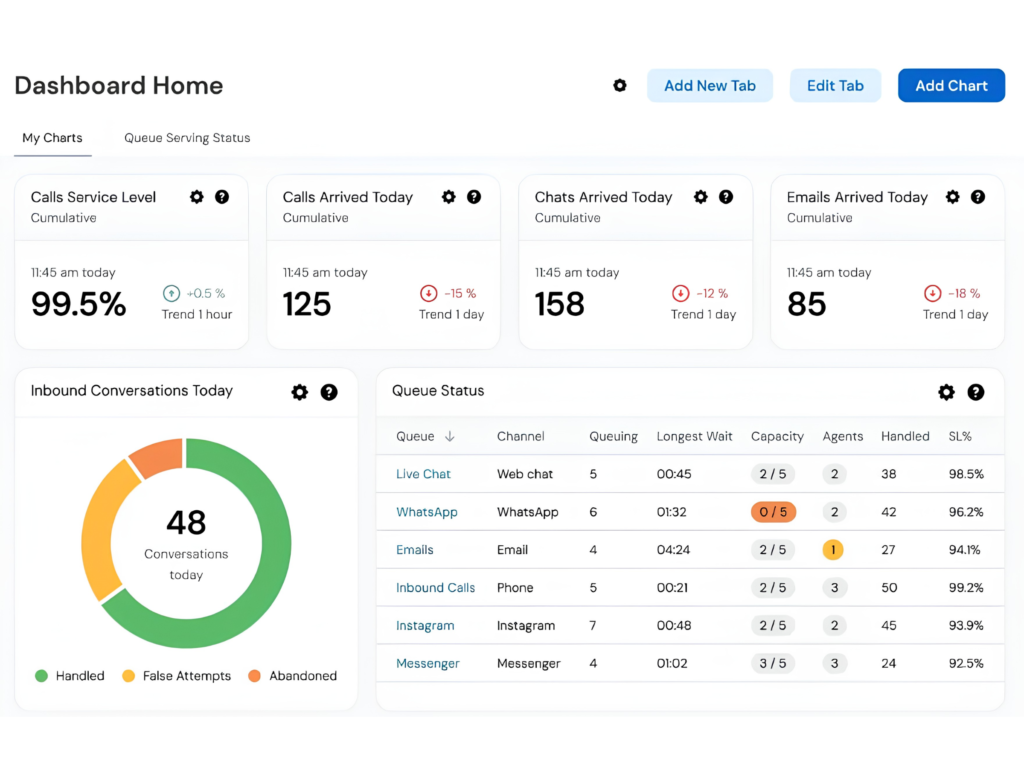
Service management software helps businesses simplify and manage their service operations from a single, centralized platform. It enables organizations to handle customer requests, schedule technicians, track service tasks, and monitor overall service performance more efficiently. As businesses grow, relying on manual processes to manage service operations can lead to delays, missed appointments, communication gaps, and reduced customer satisfaction.
By automating service workflows and providing real-time visibility into ongoing activities, service management software helps businesses deliver faster, more reliable support. This improves service quality, shortens response times, enhances team productivity, and creates a better experience for customers while supporting long-term business growth.
What is Service Management Software?
Service management software is a digital solution that helps businesses efficiently organize, track, and automate their service operations from a single, centralized platform. It simplifies the management of service requests, technician assignments, work orders, maintenance schedules, customer information, and service history, ensuring every task is handled efficiently.
By bringing all service-related activities into one system, businesses can improve coordination, reduce manual effort, monitor service progress in real time, and deliver faster, more consistent customer support. This leads to greater operational efficiency, improved service quality, and stronger customer relationships.
Why Businesses Need Service Management Software
Service management software helps businesses streamline service operations, improve team coordination, and deliver a better customer experience.
It helps organizations:
Manage Service Requests Efficiently – Organize and track customer requests from submission to completion, ensuring nothing is overlooked.
Assign Technicians Automatically – Match service requests with the right technicians based on availability, skills, or location, reducing manual coordination.
Schedule Appointments Quickly – Simplify appointment booking and scheduling to provide faster and more reliable service.
Track Service History – Maintain complete records of past services, repairs, and maintenance activities for easy reference and better customer support.
Improve Customer Communication – Keep customers informed with timely updates, service notifications, and appointment reminders.
Increase Operational Efficiency – Automate routine tasks, reduce paperwork, and streamline workflows to help teams work more productively.
By managing all service activities from a centralized platform, businesses can respond faster, improve service quality, and ensure every customer request is handled accurately and on time.
Key Features of Service Management Software
1. Service Request Management
Manage and track customer complaints, inquiries, and service requests from a single platform, ensuring every request is addressed promptly.
2. Work Order Management
Create, assign, and monitor work orders with ease, helping teams stay organized and complete service tasks efficiently.
3. Technician Scheduling
Assign jobs to technicians based on their availability, skills, and location, improving response times and resource utilization.
4. Customer Database
Maintain detailed customer profiles, service history, maintenance records, and previous interactions to deliver faster and more personalized support.
5. Reports and Analytics
Access real-time reports and performance insights to monitor service quality, technician productivity, response times, and overall business performance.
These features help businesses streamline service operations, improve team coordination, enhance customer satisfaction, and make informed decisions through accurate, real-time data.
Benefits of Service Management Software
1. Faster Service Delivery
Respond to customer requests more quickly and reduce resolution times with automated workflows and efficient task management.
2. Improved Customer Satisfaction
Keep customers informed with timely updates, clear communication, and reliable service, creating a better overall experience.
3. Better Resource Utilization
Assign technicians based on their availability, skills, and location to maximize productivity and improve service efficiency.
4. Reduced Operational Costs
Automate routine administrative tasks, minimize manual work, and streamline service processes to lower operating expenses.
5. Improved Business Insights
Generate real-time reports and analytics to monitor service quality, technician performance, customer satisfaction, and overall operational efficiency.
By automating service operations and improving team coordination, service management software helps businesses deliver faster, more reliable service while increasing productivity and strengthening customer relationships.
Industries Using Service Management Software
Service management software is widely used across a variety of industries to streamline service operations, improve response times, and deliver better customer support.
IT Service Companies – Manage support tickets, technician assignments, maintenance requests, and customer issues more efficiently.
HVAC Businesses – Schedule installations, preventive maintenance, repairs, and technician visits with ease.
Healthcare Equipment Providers – Track equipment maintenance, service requests, warranty management, and compliance requirements.
Home Appliance Service Centers – Organize repair requests, assign technicians, manage spare parts, and monitor service history.
Facility Management Companies – Coordinate maintenance tasks, inspections, and service teams across multiple locations.
Telecommunications Companies – Manage field service operations, installation requests, network maintenance, and customer support activities.
Manufacturing Service Departments – Schedule equipment servicing, preventive maintenance, and after-sales support to ensure smooth operations.
Businesses across these industries rely on service management software to improve operational efficiency, enhance customer satisfaction, optimize resource utilization, and deliver faster, more reliable service.
Signs Your Business Needs Service Management Software
If your service operations are becoming difficult to manage, it may be time to invest in service management software. Here are some common signs that your business could benefit from a centralized service management solution:
Customer Requests Are Difficult to Track – Managing service requests through emails, phone calls, or spreadsheets can lead to missed or delayed responses.
Technician Scheduling Takes Too Much Time – Manually assigning jobs can reduce productivity and slow down service delivery.
Service Reports Are Prepared Manually – Creating reports by hand is time-consuming and increases the risk of errors and incomplete data.
Customer Complaints Are Increasing – Delayed responses, missed appointments, and inconsistent communication can negatively impact customer satisfaction.
Service Operations Lack Visibility – Without real-time tracking, it’s difficult to monitor job progress, technician performance, and overall service efficiency.
Service management software helps solve these challenges by automating service workflows, improving technician scheduling, centralizing customer information, and providing real-time visibility into service operations. This enables businesses to deliver faster, more reliable service while improving customer satisfaction and operational efficiency.
How to Choose the Right Service Management Software
Selecting the right service management software is essential for delivering efficient service, improving team productivity, and enhancing customer satisfaction. When comparing different solutions, consider the following features:
Work Order Management – Choose software that makes it easy to create, assign, track, and complete work orders from a single platform.
Mobile Access for Technicians – Ensure field technicians can access job details, update work status, and communicate with the office using mobile devices.
GPS-Based Scheduling – Look for intelligent scheduling tools that assign jobs based on technician location, availability, and workload, helping reduce travel time and improve response times.
Customer Communication Tools – Select a solution that keeps customers informed with automated notifications, appointment reminders, and service updates.
Analytics and Reporting – Choose software that provides real-time reports and performance insights to help monitor service quality, technician productivity, and customer satisfaction.
ERP Integration – Ensure the software integrates seamlessly with your ERP, CRM, accounting, and other business systems for smooth data flow.
Cloud Accessibility – Opt for a cloud-based platform that allows your team to access service information securely from anywhere, at any time.
The right service management software helps businesses streamline operations, improve service quality, increase productivity, and deliver an exceptional customer experience.
Future of Service Management Software
Service management software is evolving rapidly, with emerging technologies helping businesses deliver faster, smarter, and more efficient services. These innovations are transforming the way organizations manage service operations and support their customers.
Key trends shaping the future include:
AI-Powered Service Scheduling – Use artificial intelligence to automatically assign jobs based on technician availability, skills, location, and workload, improving efficiency and response times.
Predictive Maintenance – Analyze equipment data to identify potential issues before they become major problems, reducing downtime and maintenance costs.
Mobile-First Technician Applications – Equip field technicians with mobile apps that provide instant access to work orders, customer information, and real-time updates from any location.
IoT-Enabled Equipment Monitoring – Monitor connected equipment in real time using IoT sensors, allowing businesses to detect faults early and schedule timely maintenance.
Automated Customer Notifications – Keep customers informed with automatic appointment reminders, service status updates, and completion notifications, improving communication and customer satisfaction.
As these technologies continue to evolve, businesses can streamline service operations, increase technician productivity, enhance customer experiences, and deliver more reliable, proactive service.
Conclusion
Service management software is an essential solution for businesses looking to streamline service operations and deliver exceptional customer support. By centralizing service requests, technician management, work orders, and customer information, it helps organizations simplify daily operations and improve overall service efficiency.
With automated workflows, real-time tracking, and better coordination between teams, businesses can increase technician productivity, reduce operational costs, respond to customer needs more quickly, and build stronger customer relationships. Investing in the right service management software not only enhances service quality but also supports long-term business growth and customer satisfaction.