
What Happens When Your Office IT Stops Working? Build a Business IT Continuity Plan
Your employees arrive at the office, switch on their computers, and prepare for the day’s work. Suddenly, the internet stops working. The shared files become inaccessible, the business application fails to load, or the office server becomes unavailable.
What happens next?
Some employees may wait for the system to return. Others may try different devices or contact the IT team. Meanwhile, important tasks remain unfinished.
Technology problems do not always happen at convenient times. Even a temporary disruption can affect communication, customer service, internal operations, and access to important information.
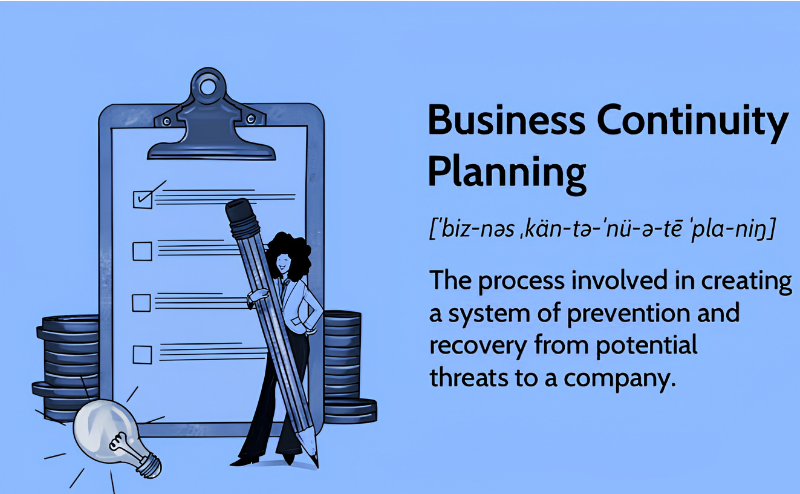
A business IT continuity plan helps organisations prepare for these situations. It outlines how essential technology services will be maintained or restored when unexpected problems occur.
What Is a Business IT Continuity Plan?
A business IT continuity plan is a documented approach for keeping essential technology-dependent operations running during disruptions and restoring systems as quickly and safely as possible.
It may cover situations such as:
Internet or network outages
Server or hardware failures
Software disruptions
Cybersecurity incidents
Accidental data deletion
Power interruptions
Cloud-service availability problems
Loss of access to important business applications
The plan should explain which systems are critical, who is responsible for responding, where backups are stored, and how business operations can continue.
7 Steps to Prepare Your Business for IT Disruptions
1. Identify Your Most Important Business Systems
Not every application has the same importance.
For example, an online store may depend heavily on its website, payment system, inventory software, and customer database. A professional services company may depend on email, document storage, scheduling tools, and project management software.
Make a list of the systems your employees need to perform essential work.
For each system, record:
Its business purpose
The employees or departments using it
The data it stores
Its dependencies, such as internet access or third-party services
The consequences if it becomes unavailable
This helps you prioritise recovery efforts.
2. Establish a Reliable Backup Strategy
Backups are one of the most important parts of business continuity.
A backup can help restore important files and systems after accidental deletion, hardware failure, or certain cyber incidents.
Consider maintaining multiple backup copies, including at least one copy that is isolated or otherwise protected from the systems it backs up.
Your backup plan should define:
Which files and systems are backed up
How frequently backups are created
Where backup copies are stored
Who can access or restore them
How long backups are retained
Most importantly, test your backups. A backup that cannot be restored when needed does not provide reliable protection.
3. Prepare for Internet and Network Outages
Many business activities depend on a stable internet connection.
If your primary connection fails, essential cloud applications, communication tools, and online services may become unavailable.
Depending on your business requirements, consider:
A secondary internet connection
A suitable mobile data backup
Network equipment monitoring
Documented router and firewall configurations
Clear instructions for reporting connectivity issues
The right backup arrangement depends on the importance of internet access to your daily operations.
4. Define Who Handles IT Emergencies
During an outage, employees should know whom to contact.
Create a simple responsibility structure that identifies:
The person who receives incident reports
The person responsible for technical troubleshooting
The manager who communicates with affected departments
The person authorised to contact external IT providers
The person who approves recovery decisions
Avoid relying on one employee who may be unavailable during an emergency.
5. Create a Cybersecurity Incident Response Process
Not every technology disruption is a normal technical failure.
Unexpected login activity, suspicious emails, malware alerts, or unusual system behaviour may indicate a cybersecurity incident.
Employees should know how to report suspicious activity and should avoid trying to investigate potentially compromised systems themselves.
Your response plan should include steps for isolating affected devices, contacting the appropriate technical team, protecting evidence, assessing the incident, and restoring systems safely.
The process should be reviewed with qualified IT or cybersecurity professionals.
6. Document Recovery Priorities
Some systems need to be restored before others.
For example, a business might prioritise restoring internet connectivity and essential communication before bringing back less critical internal applications.
Define two useful recovery targets:
Recovery Time Objective (RTO): How quickly a system should be restored after a disruption.
Recovery Point Objective (RPO): How much recent data loss the business can tolerate, measured in time.
These targets should reflect the actual needs of your business. A system used for real-time transactions may require different recovery targets from an internal document archive.
7. Test the Plan Regularly
A continuity plan should not remain an unused document.
Conduct simple exercises to check whether employees understand their responsibilities and whether systems can actually be restored.
For example, you could test:
Restoring a selected file from backup
Switching to an alternative internet connection
Contacting the IT support team
Accessing essential documents during an outage
Following the incident reporting procedure
Record what worked, what failed, and what needs improvement.
Common IT Continuity Mistakes Businesses Should Avoid
Even businesses with good technology infrastructure can overlook important details.
Depending on a Single Backup
Keeping only one backup copy can create unnecessary risk. Use a planned backup strategy with appropriate separation and access protection.
Not Updating System Documentation
Passwords, configurations, software versions, and employee responsibilities can change. Outdated documentation may delay recovery.
Ignoring Employee Training
Employees should understand how to report incidents and where to find emergency instructions. A technical plan is only useful when people know how to follow it.
Assuming Cloud Services Never Fail
Cloud platforms can experience outages, account-access issues, or service disruptions. Businesses should understand their provider’s recovery arrangements and maintain suitable contingency plans.
Never Testing Recovery
A written plan does not prove that systems can be restored. Regular testing helps identify problems before a real disruption occurs.
Business IT Continuity Checklist
Use this checklist as a starting point for reviewing your organisation’s readiness.
How Five Seven IT Solutions Can Support Your IT Infrastructure
A reliable IT environment requires more than installing computers and software. Businesses also need appropriate system planning, maintenance, security practices, and technical support.
Five Seven IT Solutions provides IT services, software development, and business technology solutions to support organisations with their technology requirements.
Whether your business needs assistance with IT infrastructure, software systems, or a more organised technology setup, start by reviewing your current environment and identifying the areas that need attention.
Final Thoughts
Unexpected IT disruptions can affect businesses of every size. Although no organisation can prevent every technical problem, preparation can make recovery more organised and reduce avoidable confusion.
A practical business IT continuity plan identifies critical systems, protects important data, assigns responsibilities, and establishes clear recovery procedures.
Do not wait for an outage to discover that your business has no recovery plan.
Want to make your business IT setup more reliable? Contact Five Seven IT Solutions to discuss your technology requirements and explore suitable IT support solutions.